Shopify Canonical Tags and Variant URLs
Fix Shopify duplicate content from variants, collections, filters, and product URLs with cleaner canonical signals, internal links, and crawl paths.
Shopify SEO
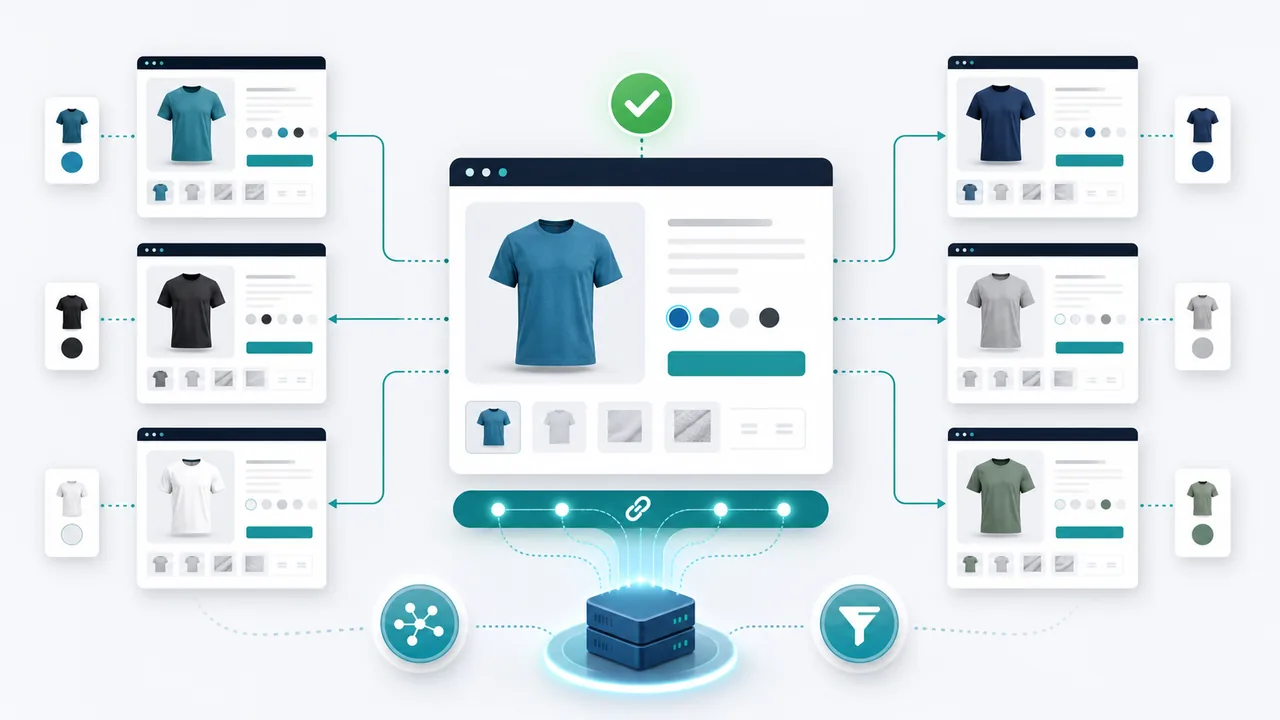
Shopify stores can create multiple URLs for the same product through variants, collections, filters, tags, and tracking parameters. Canonical tags tell Google which URL should collect ranking signals, but they need to be checked on real rendered pages.
Why this matters
Duplicate product URLs split crawl attention and weaken ranking signals. Canonicals are not a magic fix for every duplicate, but they are the clearest signal for which Shopify product URL should be indexed.
If you want to see the issue on a real page, start with the related VisRank landing page: Check Shopify canonicals.
What to check first
- Product variant URLs point to the preferred product canonical.
- Collection product links do not create unnecessary duplicate product paths.
- Paginated and filtered collection URLs do not compete with the main collection page.
- Canonical URLs are absolute, HTTPS, and self-consistent.
- Internal links use the preferred URL format.
Fix priority
- Pick one preferred product URL pattern and use it in navigation, collections, and blog links.
- Test several variant, collection, and filtered URLs in a scanner.
- Avoid indexing thin tag/filter pages unless they target real search demand.
- Pair canonicals with unique collection copy and crawlable product grids.
Common mistakes
- Assuming every Shopify canonical is correct because Shopify outputs one.
- Blocking duplicate URLs in robots.txt before Google can see the canonical.
- Letting internal links point mostly to non-canonical variants.
- Creating many collection filters with no unique search intent.
Quick FAQ
Are Shopify variant URLs bad for SEO
Variant URLs are not automatically bad, but they can become duplicate content when each URL shows mostly the same product content and does not canonicalize clearly.
Should collection pages canonicalize to themselves
Important collection pages should usually self-canonicalize. Thin filtered variants need a more careful decision based on search demand and uniqueness.
Next step
Run the relevant audit, fix the highest-impact blocker first, then rescan the page after deployment. That gives you a measurable baseline instead of a one-off checklist.
Check your website's SEO & AEO score
Free visibility audit - no signup required.
Scan my website for free